 Document— □ ×
File Home Insert Layout Review
Productivity starts with your voice.

SPEAK. WRITE. MOVE FORWARD.
Speak naturally. Turn your voice into text in your Windows apps.
 Fast
 Precise
 Private
 Works in your apps
 See plans
Windows 10/11 | Free and Pro plans
Document— □ ×Productivity starts with your voice.
How can I make this clearer?
Start with the main idea.
• Keep it simple
• Reduce typing
• Stay in the flow
 New message— □ ×
Here is a quick update on our progress.
 Team messages— □ ×
Here is the plan for this week.
Let me add the next step clearly.
 WhatsApp— □ ×
Could you send the updated file?
Of course. I will check it today.
Your voice
in action
Less typing.
More ideas.
Compatible with the apps you already use








MORE THAN TRANSCRIPTION
Dictate emails, documents, messages or notes and save time every day. DicTyper fits your workflow and keeps your content on your PC.
 See how it works

Built for clear, everyday speech.

Speak faster than you type.

Your dictation content stays on your PC.

Insert text in the active Windows app.
YOUR VOICE, IN YOUR WORKFLOW
Dictate directly in documents, email, chat and other Windows text fields.
 +
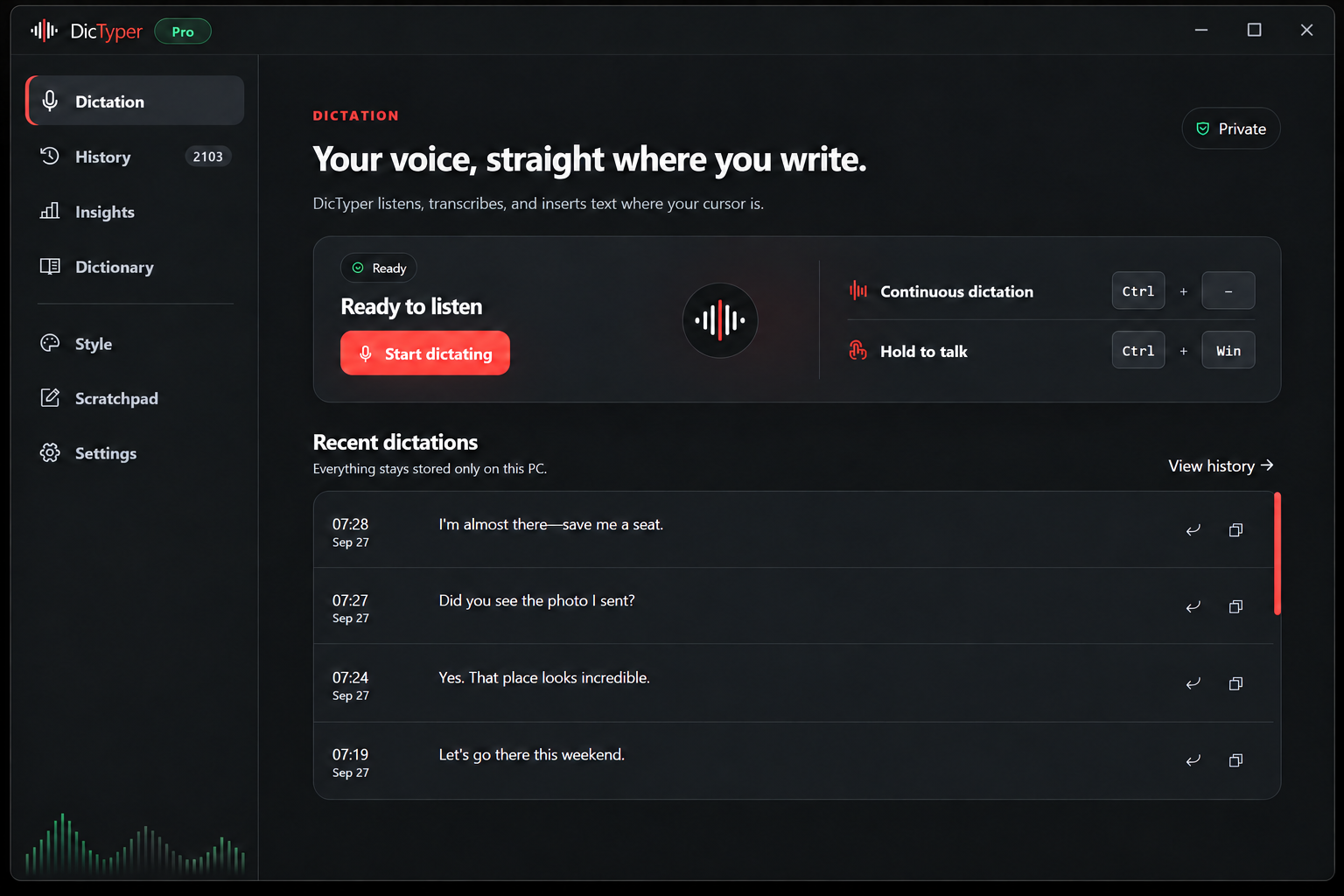
Ready
when you are

One shortcut
and you are ready
SIMPLE AND EFFECTIVE
A quick, straightforward setup.
English, Spanish, Italian, French or German.
Use the shortcut and start speaking.
Directly in the field where you are working.
A WORLD OF POSSIBILITIES
Choose the language you speak. Switch when your work does.
PLANES DICTYPER
Dictado local en Windows. Tú eliges el plan.
PARA USO DIARIO
Para empezar y dictar a diario.
No requiere tarjeta.
PARA TRABAJO PROFESIONAL
Para quienes escriben con la voz cada día.
También disponible por USD 100 al año.
Consulta impuestos y renovación antes de pagar.
PARA DESPACHOS, CLÍNICAS Y EMPRESAS
Para estudios jurídicos, clínicas y equipos con secreto profesional.
Facturación anual (USD 228/año) · o USD 24 al mes.
Desde 3 asientos · Factura fiscal unificada de empresa.
QUESTIONS, ANSWERED
Clear answers about privacy, accounts, payment, compatibility and support.
Yes. Speech recognition and dictation content stay on your Windows PC.
Not for Free. An account is used only when you choose Pro, so you can manage billing and access.
Available payment methods are shown on the secure payment page before you confirm your purchase.
DicTyper writes into compatible text fields across Windows apps such as documents, email, chat and browsers.
Write to info@dictyper.com and our team will help you.
Start with Free. Upgrade to Pro when you need more.